
GNU Octave, the free open-source scientific programming language, released new major 11.1.0 version yesterday.
This is the first release in version 11, that introduced many new functions, performance improvements, and some UI changes.
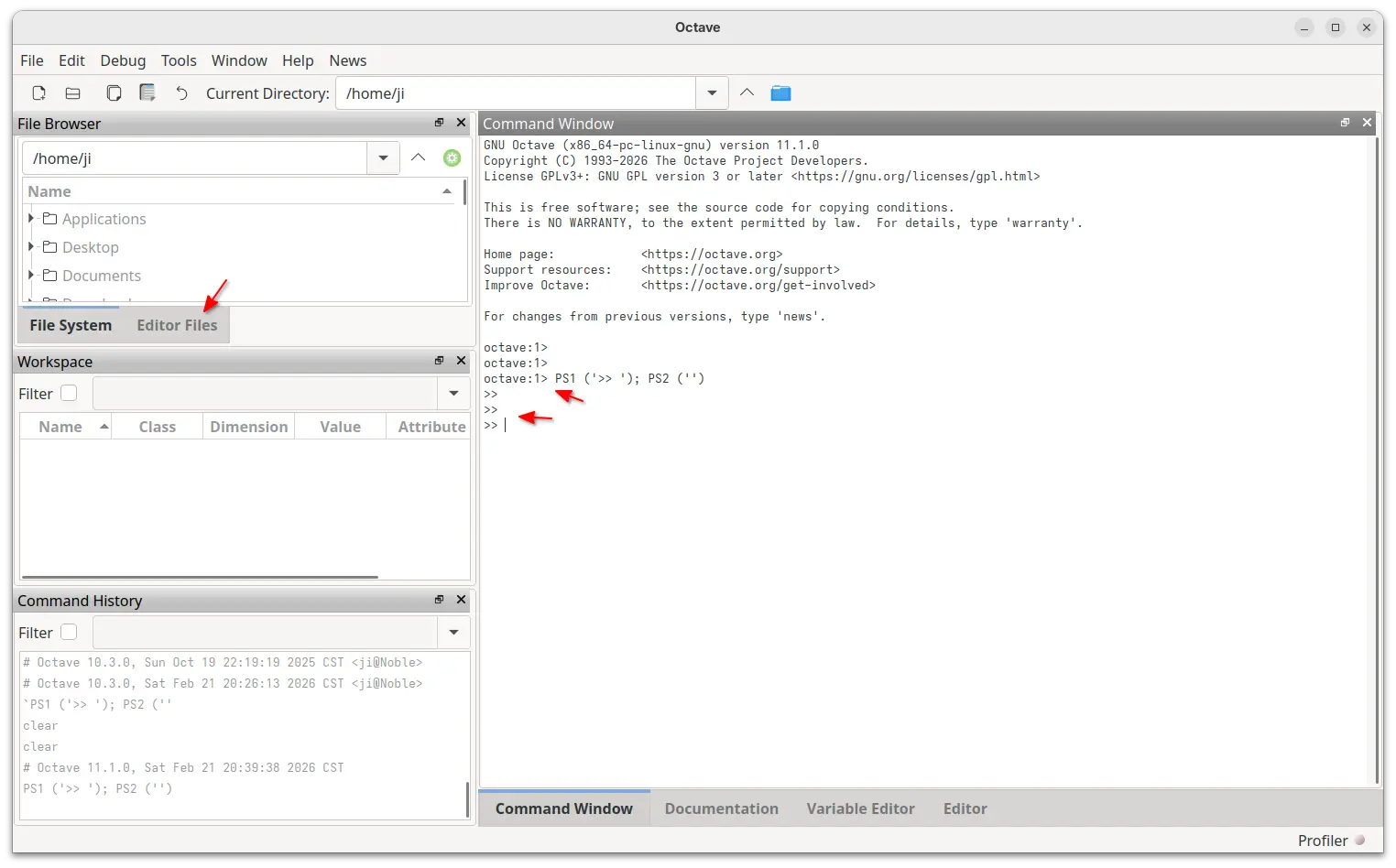
First, the new version updated the user interface with new Editor Files tab for the built-in File Browser, option to toggle start-up splash screen, and option for using the directory of the currently focused editor file instead of the current Octave directory as the initial folder for the Open File dialog.
The “Find File” dialog now provides most recently used lists for input fields and has the ability to search for/in several file patterns at the same time. And, it now uses SVG icons for better scaling support, especially on Hi-DPI screens.
The GUI now uses the default Octave command prompt, and, user can simply run PS1 ('>> '); PS2 ('') to revert back to the previous one.
Octave in the release introduced 11 new functions. They are:
_Exit– exit the currently running process with specified (optional) exit code.assert_equal (OBSERVED, EXPECTED)– produce an error if observed is not the same as expected.corrcov– convert matrix of covariance coefficients to a matrix of correlation coefficients.dither– quantize an image using dithering to increase the apparent color resolution.funm– evaluate a general matrix function.mape– compute the mean absolute percentage error between arrays.rms– compute the root mean square of the input data X.rmse– compute the root mean squared error between arrays.trexc– reorder the Schur factorization using LAPACK function ‘ZTREXC’xline– create vertical lines at x-coordinates.yline– create horizontal lines at y-coordinates.
Besides new functions, there are also many improvements to the existing functions. sum, cumsum, sumsq now have up to 6x performance improvements. norm fzero are now more accurate. And randi has been rewritten with 4.5x faster and 3.5x less memory than before.
As well, polyfit output s.X, octave::math::x_nint, octave::math::isinteger are now deprecated and will be removed in version 13.
The OCTAVE_LATEX_DEBUG_FLAG environment variable has been renamed to OCTAVE_LATEX_DEBUG, QTHANDLES_DEBUG has been renamed to OCTAVE_QTHANDLES_DEBUG. And, the functions that were deprecated in Octave 9 have been removed from this version 11.
Other changes in the release include:
pkg installcommand now automatically determines whether target is a local file, a URL, or an unqualified package.- New
pkg searchcommand with regular expressions support. - Convolution of short and wide arrays is faster from 10% to 150X.
- Print to PDF is now ~25% faster.
For more about the new release, see the NEWS file in the source tarball (see the link below).
Get GNU Octave 11.1.0
The source tarball is available to download at GNU website via the link below:
Besides building from the source, Arch Linux has already include the new release in the official Extra repository. While other Linux may keep an eye on the community maintained Flatpak package that runs in sandbox.
For Ubuntu users who prefer the native .deb package, I’ve made the new release package into this unofficial PPA for Ubuntu 22.04, Ubuntu 24.04, and Ubuntu 25.10, though without testing.
To add the PPA and install Octave 11.1.0, open terminal (Ctrl+Alt+T) and run commands below one by one:
sudo add-apt-repository ppa:ubuntuhandbook1/octave
sudo apt update
sudo apt install octave
Uninstall:
To uninstall the .deb package, use command:
sudo apt remove octave octave-common
And, use the command below to uninstall the PPA:
sudo add-apt-repository --remove ppa:ubuntuhandbook1/octave
For Linux Mint, also run sudo apt update to manually refresh package cache afterward.
source https://ubuntuhandbook.org/index.php/2026/02/octave-11-1-0-released-with-11-new-functions-better-hidpi-support/


Tidak ada komentar:
Posting Komentar