
FFmpeg, the popular multimedia library, release new major 8.1 version yesterday on March 16th.
The new version, code-name “Hoare”, features some new encoders and decoders for more codecs support, new filters, and other improvements.
First, FFmpeg 8.1 added experimental decoding support for xHE-AAC Mps212, an audio codec designed for low-bitrate streaming and digital radio, and MPEG-H 3D audio decoding by using the mpeghdec library.
It also added both encoding and decoding support for JPEG-XS, the codec designed for professional video over IP in broadcast and other scenarios, such as virtual reality, drones, or gaming.
As well as JPEG-XS parser and JPEG-XS raw bitstream muxer and demuxer, they are supported by using libsvtjpegxs library.
The Vulkan compute-based codecs (introduced in FFmpeg 8.0), that allows programs to use hardware accelerated rendering, calculating, and decoding on any GPU that support Vulkan 1.3+, has been updated with both encoding and decoding support for Apply ProRes codec, as well as decoding support for DPX image format.
It as well possible to utilize the Vulkan graphics API to perform image processing task, such as scaling, resizing, and color space conversion.
For Windows, the new version now supports using the DirectX 12 (D3D12) API to access hardware-accelerated AV1 and H.264 encoding. And for Rockchip SoCs, like the RK3588, RK3566, and RK3399, it now supports hardware accelerated H.264 and HEVC encoding.
Besides new encoders and decoders, FFmpeg 8.1 also supports transforming raw audio or video frames with more filters.
They include drawvg filter to render vector graphics on top of video frames, Direct3D 12 (D3D12) hardware-accelerated vf_scale_d3d12, vf_deinterlace_d3d12, and vf_mestimate_d3d12 filters, as well as LCEVC (MPEG-5 Part2) metadata bitstream filter.
Other changes include:
- EXIF metadata parser.
- LCEVC (MPEG-5 Part 2) parser.
- New ffprobe
-codecoption (alias for-c) to force decoder. - ffmpeg CLI tiled HEIF support.
- Windows.Graphics.Capture based window/monitor capture.
- hxvs demuxer for HXVS/HXVT IP camera format.
- IAMF Projection mode Ambisonic Audio Elements muxing and demuxing.
- Remove the old HLS protocol handler.
- Vulkan compute codec optimizations.
- ffprobe: only show refs field in stream section when reading frames.
- LCEVC enhancement layer exporting in MPEG-TS.
For more, see the official release note.
Get FFmpeg 8.1
The source code as well as third-party binary packages for FFmpeg 8.1 are available in its website via the link below:
For Linux, the best way could be waiting for your distribution updates. And, Arch has already built it into the official Extra repository.
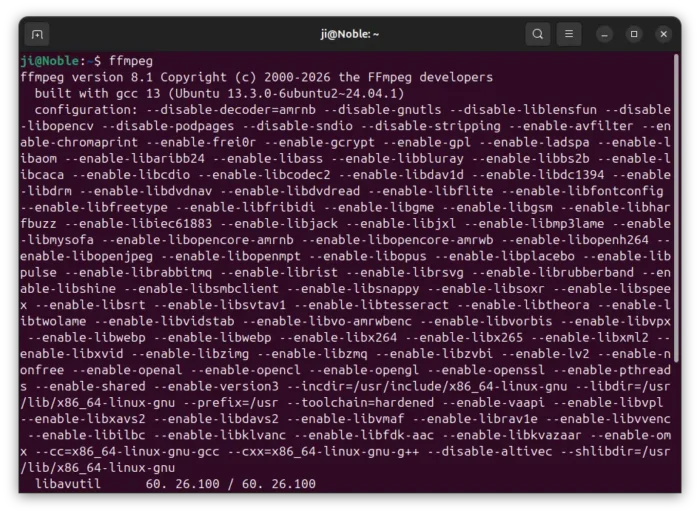
For Ubuntu and Linux Mint, besides building from source, I’ve built FFmpeg 8.1 into this unofficial PPA for Ubuntu 22.04 and Ubuntu 24.04 LTS.
NOTE: FFmpeg is an important library that many apps depend on. The PPA package may break dependencies, use at your own risk!
To add the PPA and install FFmpeg 8.1, run command below one by one:
sudo add-apt-repository ppa:ubuntuhandbook1/ffmpeg8
sudo apt update
sudo apt install -t "o=LP-PPA-ubuntuhandbook1-ffmpeg8" ffmpeg
(Optional) For any reason, you may downgrade FFmpeg to stock version by running the command below to purge PPA:
sudo apt install ppa-purge; sudo ppa-purge ppa:ubuntuhandbook1/ffmpeg8
source https://ubuntuhandbook.org/index.php/2026/03/ffmpeg-8-1-rockchip-jpeg-xs/


Tidak ada komentar:
Posting Komentar