
DeadBeef, the lightweight music player application for Linux, Windows, and macOS, released new 1.10.2 version few days ago.
This free open-source music player released version 1.10.1 last week with new Lyrics Viewer plugin. User can enable “Design” mode and add Lyrics widget to show the lyrics for the song being played.
The plugin however only display but not fetch lyrics from the web, meaning it will display “Lyrics Not Available” if your songs do not have lyrics built-in.
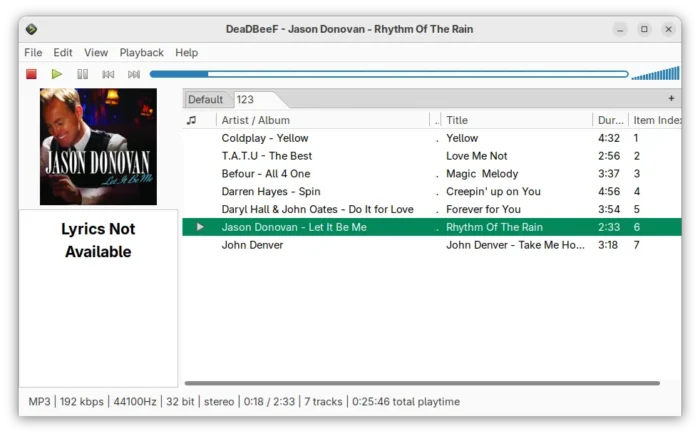
DeadBeef Lyrics Viewer widget
The last version also added support FLAC (Ogg/FLAC) network streaming. Simply go to File -> Add location, then paste the link to your media and click OK to enjoy.
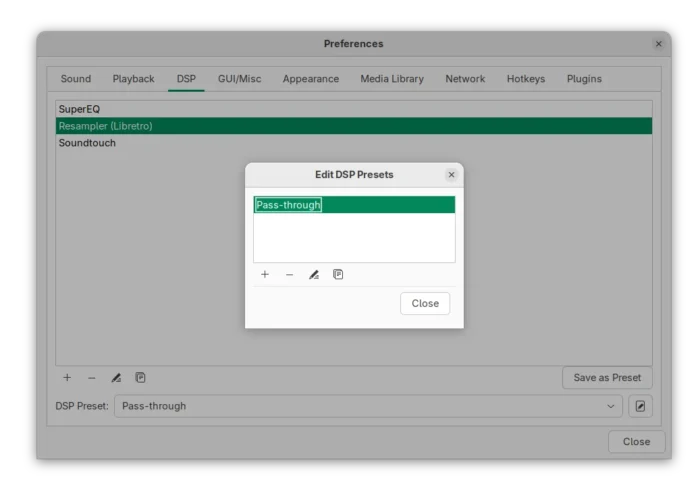
The DSP presets that store the configuration of audio adjustments, such as EQ and resampler, has a redesigned preferences page that features drag’n’drop re-arranging, new duplicate action, and ability to add, remove, edit, and duplicate saved presets.
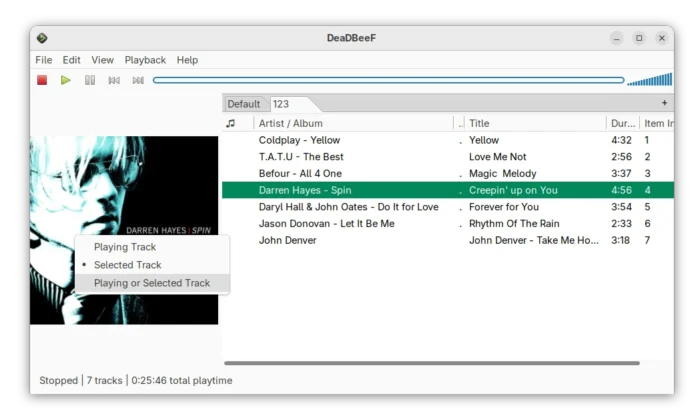
The Album art display widget by default shows the album art for the selected track. User can right-click on it to choose “Playing Track“, which will however display nothing when no audio is being played.
To improve the feature, a new “Playing or Selected” mode is added. In the case, it will display the album art for either playing track, or selected track if nothing’s being played.
Other changes include the ability to use mouse forward/backward buttons to play next or previous, default to GTK3 for UI plugin, new stop after playback queue option, as well as infinite looping support for SID files.
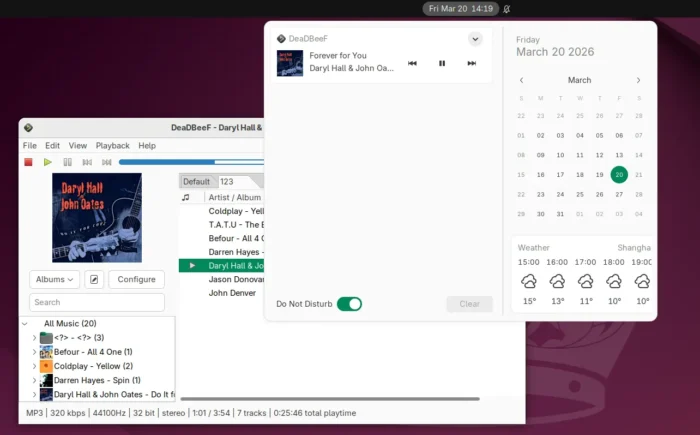
With the new 1.10.2, it finally has out-of-the-box support for MPRIS (multimedia keys), the standard D-Bus interface for controlling media players remotely.
Meaning you can now control music playback either by using keyboard media keys (previously implemented via global shortcuts), panel widget (e.g., GNOME data & time menu), or even from Gnome 49+ lock screen. Or, query and control player from command line, scripts, or remotely through a mobile device.
Other changes in recent DeadBeef 1.10.1 and 1.10.2 include:
- OPUS artwork support.
- Option to always resume in paused state.
- Action for opening DSP preferences.
- Enqueue action in file manager menus.
- Fix missing app icon in Gnome Dash/Dock.
- Many other fixes and improments.
For more, see the official release notes.
Get DeadBeef 1.10.2
DeadBeef provides official packages for Linux, Windows, and macOS, which are available to download via the link below:
For Linux, the first link is a portable tarball. Just download, extract, then run the executable from it will launch the music player.
Debian, Ubuntu, Linux Mint etc distributions can select download & install the .deb package which is available in this page. While, there’s few 3rd party PPAs (e.g., this one) built the packages for Ubuntu.
source https://ubuntuhandbook.org/index.php/2026/03/deadbeef-1-10-2-added-mpris-plugin-for-remote-playback-control/


Tidak ada komentar:
Posting Komentar