
Parabolic, the popular application for downloading web video and audio, released new 2026.4.0 version today.
The new version of this free open-source yt-dlp front-end finally added macOS support, by introducing new macOS app built using the GNOME (GTK/libadwaita) version of Parabolic, with yt-dlp, deno, ffmpeg and other Parabolic dependencies in bundle.
It also added a portable version for Windows user, allowing to run the application without installation. Simply download the package, extract, and run the “Parabolic.bat” file will launch the portable app, while user may alternatively run the .exe file with --portable flag.
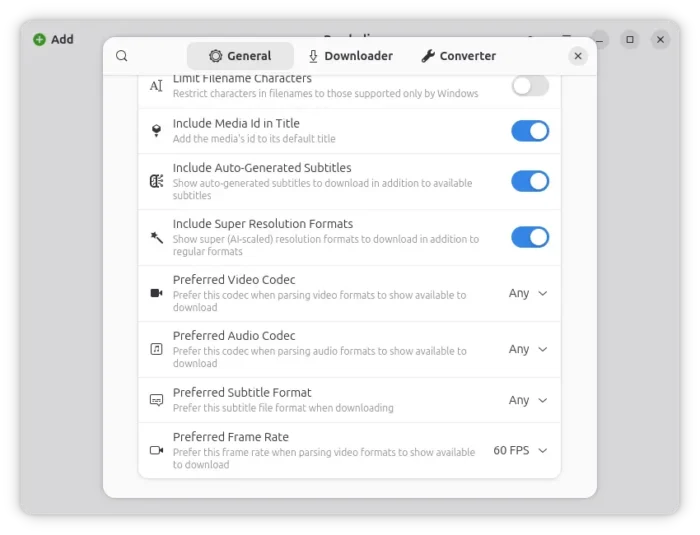
Besides new app packages, this version also added new preferences options to set your preferred frame rate (24, 30, or 60 FPS), and whether to show AI-scaled super resolution formats to download in additions to regular formats.
And, it now supports automatically translating embedded metadata and chapters to the app’s language on supported sites, while, a preferences option is available to disable this feature.
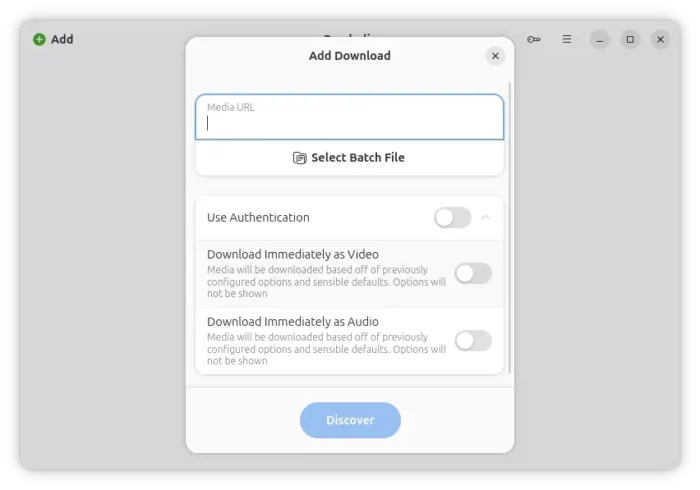
The “Add Download” dialog now have new “Download Immediately as Video” and “Download Immediately as Audio” to skip download options, and start downloading immediately using the previously configured options.
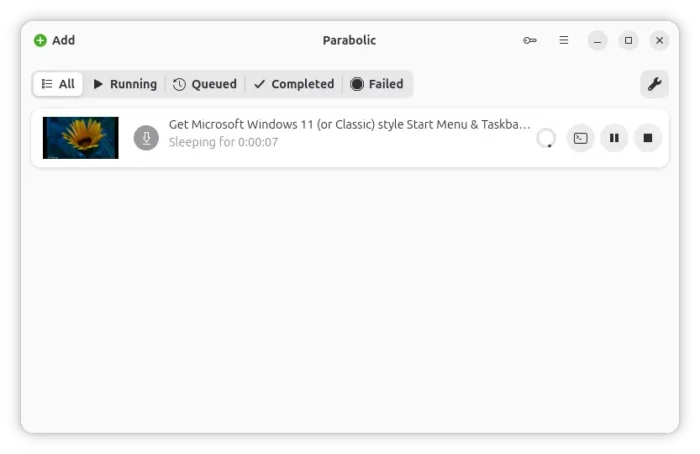
In the downloading view and the options page during adding a download, it now displays thumbnail image preview, allowing you to take a quick look at what you’re downloading or what you’re going to download.
Other features include a new failed filter in download view, a total duration label in playlist items view, and the ability to update deno (the JavaScript engine) within the app, though I didn’t find out where the option is.
Besides the new features above, the new version also improved the app startup time by using the native Native AOT compiler. It as well improved the selection of playlist audio/video formats, and, improved handling of long file names by now truncate file-names that are too long.
Other changes are mostly bug-fixes. They include fixes for duplicate entries in M3U playlist export, credentials not save on Linux, and batch files unusable on Linux and macOS.
Get Parabolic:
The official release note as well as the installer packages are available in Github via the link below:
For Windows and macOS, select download the package from Assets session. Fedora and Linux Mint may search & install it from either GNOME Software or Software Manager.
While other Linux may follow the steps below to install the Flatpak package.
- First, follow the setup guide to enable flatpak support. For Debian/Ubuntu, simply open terminal (Ctrl+Alt+T) and run command:
sudo apt install flatpak
- Then, add flathub repository which hosts the app package, by running command:
flatpak remote-add --if-not-exists flathub https://flathub.org/repo/flathub.flatpakrepo
- Finally, install the app package:
flatpak install flathub org.nickvision.tubeconverter
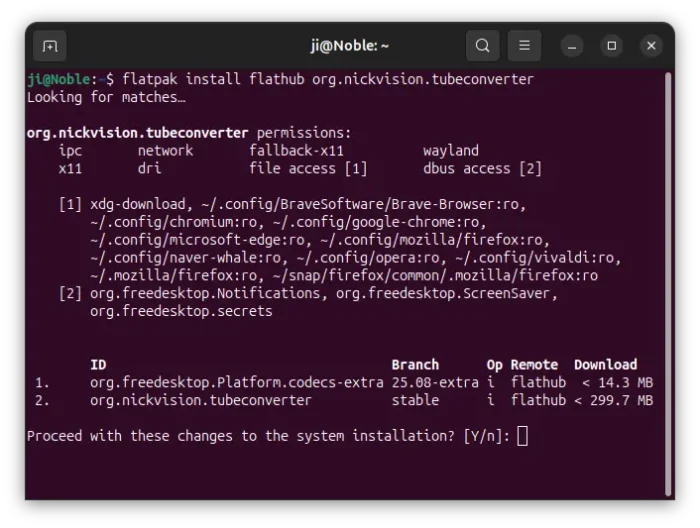
If you’ve already installed the package, then run the command below to check and install updates:
flatpak update org.nickvision.tubeconverter
And, you may need a log out and back in to make app icon visible, or, replace update with run in last command to start it from terminal.
(Optionally) to remove the flatpak package, use command:
flatpak uninstall --delete-data org.nickvision.tubeconverter
And, remove flatpak uninstall --unused to remove useless runtime libraries.
source https://ubuntuhandbook.org/index.php/2026/04/parabolic-video-downloader-released-2026-4-0-with-macos-app/


Tidak ada komentar:
Posting Komentar