
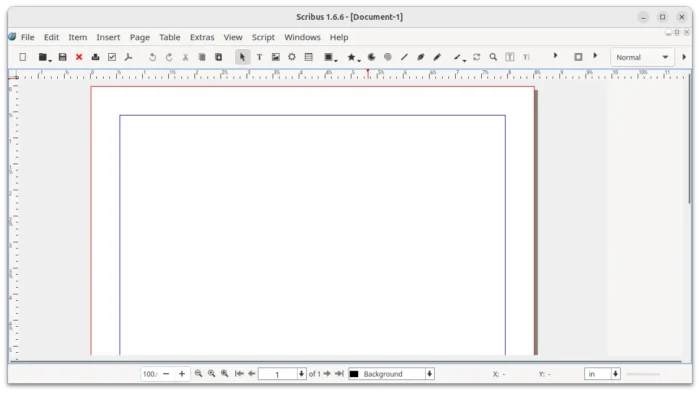
Scribus, the free open-source desktop publishing software, released new 1.6.6 version yesterday.
The new stable version introduced two new script functions, fixed various issues, and performed extensive code cleanup with plugin improvements.
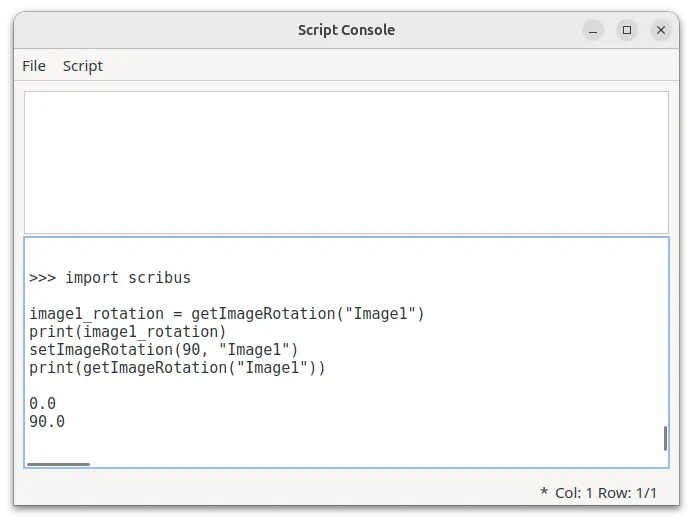
For designers and developers, the new version added new getImageRotation () and setImageRotation () functions to get or set the rotation of an image frame.
You may use getImageRotation("name") in your Python script to get the rotation of the image “name”. If “name” is not given, then the currently selected item is used.
And, you may use setImageRotation(degree, "name") in script to rotate the image “name” with certain degree (rotate counterclockwise). Also, if “name” is not given, the currently selected item is used. And, it may raise WrongFrameTypeError if the target is not an image.
The new 1.6.6 also improved MS Publisher import. Scribus has the basic support for importing MS Publisher .pub files since version 1.5. The new version continued the development by improved image scaling behavior.
There are as well fixes for various issues, including the crashes due to umlaut composition in file names of embedded PDF documents, lost image links after collect for output function, and StoryText::endOfWord() returning an incorrect result if the position is already at the end of a word.
Other changes include fixes for building issues and code cleanup for many import plugins, including AI, CDR, CGM, CVG, Micrografx Draw, EMF, FreeHand, IDML, ODG, legacy OODraw, Apple Pages, Macintosh Pict, PageMaker, MS Publisher, QuarkXPress, Dia Shapes, Kivio, SVG (import and export), SVM, UniConvertor, Viva Designer, MS Visio, WMF, WPG, Xara, Xfig, XPS, and Zoner Draw.
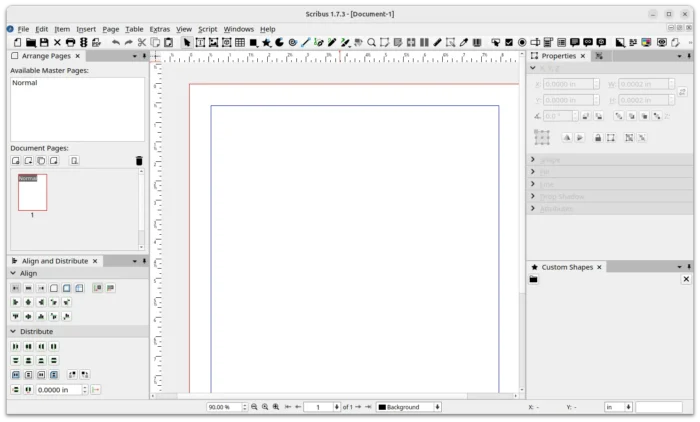
Scribus 1.7.3
Besides version 1.6.6, Scribus also released new 1.7.3 unstable version on the same day, which it the development release series for next v1.8 stable that features Qt6 port.
The new development version added new real-time spell checker runs in a separate thread while editing, overhauled Search & Replace with collapsible advanced criteria and ability to search across all text frames.
It as well introduced new Change Case feature to convert text between lowercase, uppercase, capitalise, sentence case, and toggle case, with full undo/redo support. And, it added numbering support in more languages, significantly improved JPEG XL import, and Barcode Generator plug-in rewritten.
For more about the new releases, see the official release notes for Scribus 1.6.6 and Scribus 1.7.3.
Get Scribus 1.6.6 or 1.7.3
Scribus provides official packages for Linux, Windows, and macOS. Along with the source tarball, they are available to download via the link below:
And, the 1.7.3 development version is available to download this page.
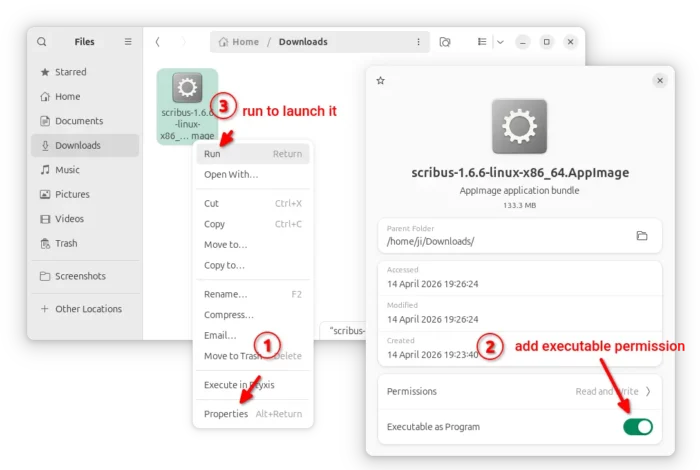
For Linux, it’s a non-install AppImage. Just add executable permission, then you may run the file to launch Scribus. Though, Ubuntu since 22.04 needs to install libfuse2 for this package format support.
For choice, there are community maintained Flatpak package (not updated at the moment of writing), and unofficial PPA that contains the native .deb package for Ubuntu 22.04, Ubuntu 24.04, Ubuntu 25.10 and 26.04.
To add the PPA and install Scribus 1.6.6, run the commands below in terminal (Ctrl+Alt+T) one by one:
sudo add-apt-repository ppa:ubuntuhandbook1/scribus
sudo apt update
sudo apt install scribus
For any reason, you may optionally remove the PPA by running command:
sudo add-apt-repository --remove ppa:ubuntuhandbook1/scribus
And, remove the scribus deb package via:
sudo apt install scribus scribus-data
source https://ubuntuhandbook.org/index.php/2026/04/scribus-1-6-6-released-with-image-rotate-script-function/


Tidak ada komentar:
Posting Komentar