
After a few weeks of Beta testing, the lightweight Audacious music player finally announced the new 4.6 version.
The new version of this free open-source music player app features built-in file browser, macOS Now Playing, new audio format support and various bug-fixes.
First, the new version introduced a built-in file browser through plugin, which can be enabled by going to File -> Settings -> Plugins -> General.
It allows to browse or search supported music files in your local computer, then either drag’n’drop into playlist, or use right-click menu options to play, add to (or create) playlist.
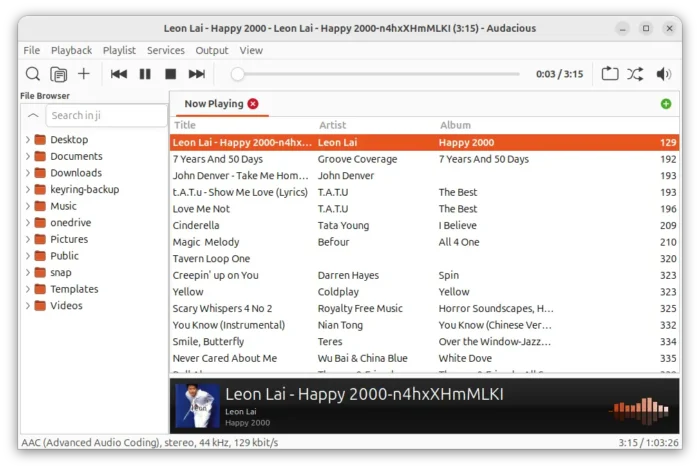
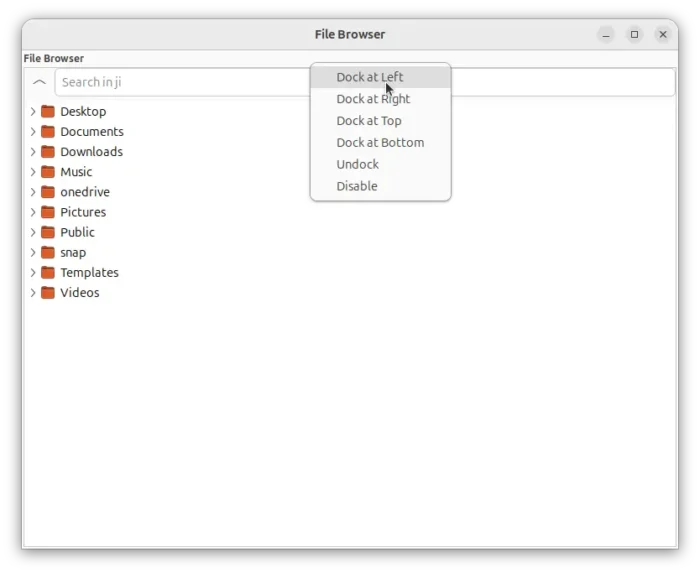
The file browser by default starts as a separated window. For Qt UI, simply use the title bar button to marge it into the main window. While, GTK3 users may right-click below the title bar to get the menu to dock the file-manager into main window.
The Winamp classic interface in this release still requires windowing system features that are not supported in Wayland. So for GNOME, KDE and other desktops with Wayland session, the Winamp UI is default to XWayland compatibility mode.
And, a toggle option is available in the Advanced settings page, allowing user to easily disable XWayland when trying to switch to GTK or QT user interface.
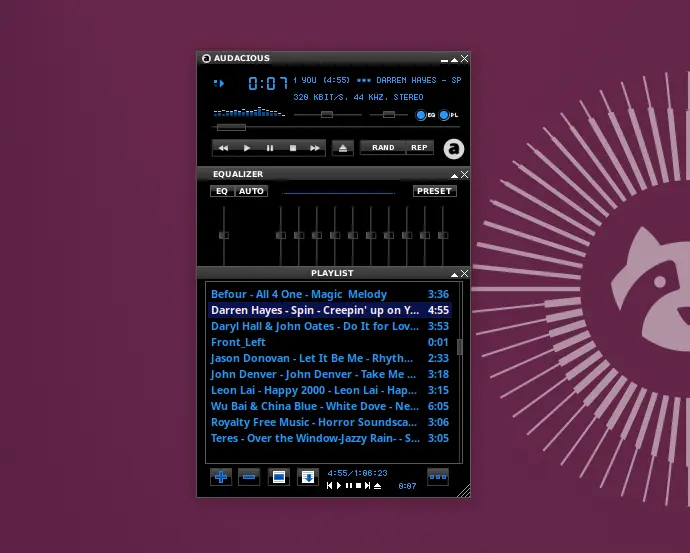
Winamp UI defaults to XWayland on Wayland session.
Audacious 4.6 also updated its UI with Bitrate, File Created/Modified dates support in playlist, though user needs to enable them manually from Appearance settings page.
It added the Playback History plugin for GTK UI, and a setting option to re-enable the confirm dialog for users who checked “Don’t ask again” in Remove Playlist dialog.
It as well added support for .mpc Musepack audio file, support for all AIFF file extensions (.aif, .aifc, .aiff) and MIME types (audio/aiff and audio/x-aiff), and support for reading lyrics tag from Opus, Ogg Vorbis and FLAC files.
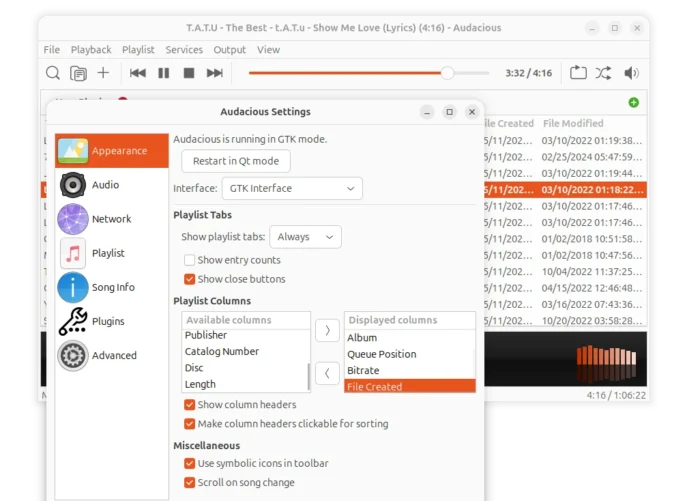
New playlist columns available
For users who prefer using keyboard shortcut, the release added global hotkeys support for previous/next album action, and support using Delete and F2 keys in Playlist Manager dialog.
And for macOS users, Audacious 4.6 added macOS Now Playing plugin for monitoring and controlling audio playback in the Control Center or Menu Bar. And, it removed the Mac Media Keys plugin.
Other changes include:
- Drag’n’drop into Qt winamp UI support.
- Read ReplayGain tags with FFmpeg plugin, meaning more files support.
- Allow using Previous control to go to the last track in playlist for Repeat mode.
- Support exporting playlist via audtool CLI tool.
- Use localized music directory for Search Tool.
- Load companion .m3u/.m3u8 with Game Console Music Decoder for subsong metadata.
There are as well many bug-fixes, removal of deprecated Audacious code and APIs, and more. And, for users of 4.6 Beta, it fixed slider knob click behavior for GTK, a few crashes, and updated translations.
How to Install Audacious 4.6
The official release note, as well as the source tarballs are available in the software website via the link below:
For Ubuntu, besides building from the source, there’s also community maintained Flatpak package which runs in sandbox environment, which is however not updated at the moment of writing.
And, I’ve built the new version into this unofficial PPA (and synced with this one) for Ubuntu 20.04, Ubuntu 22.04, Ubuntu 24.04, and Ubuntu 26.04. amdv3 support is also added.
To add the PPA, and install Audacious 4.6 in Ubuntu, run the commands below one by one in terminal (Ctrl+Alt+T):
sudo add-apt-repository ppa:ubuntuhandbook1/apps
sudo apt update
sudo apt install audacious audacious-plugins
For any reason, you may purge PPA and downgrade Audacious to the stock versions by running command:
sudo apt install ppa-purge && sudo ppa-purge ppa:ubuntuhandbook1/apps
Or, just remove the music player by running command:
sudo apt install audacious audacious-plugins-data --autoremove
source https://ubuntuhandbook.org/index.php/2026/06/audacious-4-6-released-built-in-file-browser-mpc-support-ppa-updated/


Tidak ada komentar:
Posting Komentar