
BleachBit, the free open-source system cleaner application for Linux and Windows, released new 6.0.2 version yesterday.
The new version of this CCleaner alternative application introduced many new cleaner functions, UI improvements, new universal package for Linux, and various bug-fixes.
As AI is getting so popular today, BleachBit finally added support cleaning caches for many AI‑powered tools, IDEs, or models. They include cleaning support for:
- Claude Code.
- AI models from Google Chrome.
- As well as AI-powered IDEs, such as Visual Studio Code, Codium, Antigravity, Cursor, Windsurf, and Devin.
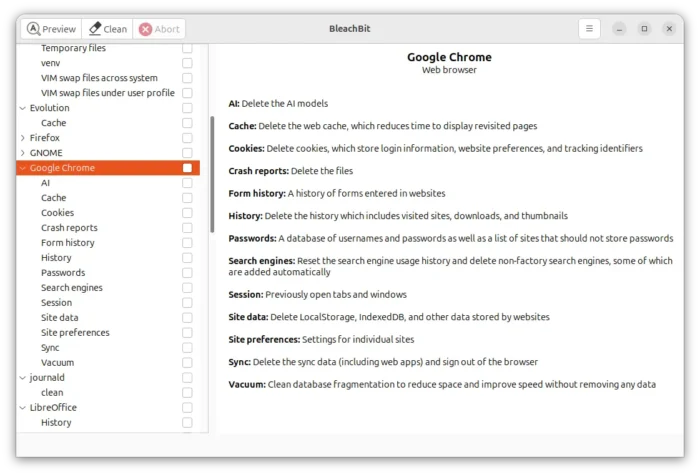
In addition, it now supports multiple user profiles on Chrome and Edge browsers, clears clipboard after shredding files from paste operation, and, cleans Python virtual environment, cache, and angular caches.
And, it finally supports cleaning DNS cache, which may be useful after editing hosts file, switching networks, VPNs, or DNS providers, or for networking issues and security enhancement.
For Linux, the new 6.0.2 added AppImage package support for x86_64 (modern AMD/Intel) platform. Without installation required, simply grab the package and add executable permission, then you can finally run the package the launch the system cleaner.
Though Ubuntu since 22.04 needs to install libfuse2 package first to enable AppImage support.
sudo apt install libfuse2
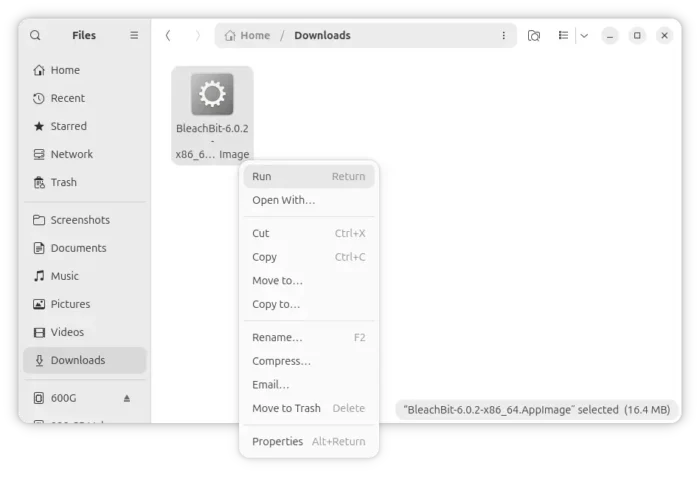
BleachBit AppImage
Besides the new package, Linux support also include cleaning cache of Librewolf browser installed as native .deb in Debian/Ubuntu, cleaning Transmission BitTorrent client installed as universal Flatpak package, cleaning Profanity chat client, as well as Flatpak localizations cleaning and improved trash detection.
BleachBit 6.0.2 also introduced some UI improvements. It improved the deep scan speed and added Ctrl+C keyboard shortcut to interrupt the filename shredding process.
Other changes include:
- Speed up shredding files.
- Convert Apache OpenOffice cleaner to CleanerML.
- Use native APIs to clear clipboard on Windows.
- Reduce Windows installer size.
- Add
%WindowsSystem%variable.
There are as well many stability improvements, bug-fixes, and other changes. See the official release note for details.
Get BleachBit 6.0.2
The official installer packages for Linux and Windows are available to download in the software website via the link below:
For Ubuntu, either select download .deb package, then click open and install via App Center (or Ubuntu Software). Or, choose the new AppImage, add executable permission from its Properties dialog, finally run to launch the cleaner application.
source https://ubuntuhandbook.org/index.php/2026/07/bleachbit-6-0-2-added-dns-cache-cleaner-appimage-for-linux/


Tidak ada komentar:
Posting Komentar