
Thunderbird, Mozilla’s free open-source PIM (personal information manager) software, released new 153.0 version on Wednesday.
The new version is an ESR (Extended Support Release) release, with more than one year support, designed for organization and education use.
The new 153.0 release finally introduced native ThunderMail services support. Without installing a separate extension/add-on, user can now sign in via Thunderbird’s own ThunderMail email account for native account setup, full calendar and address book sync, and more.
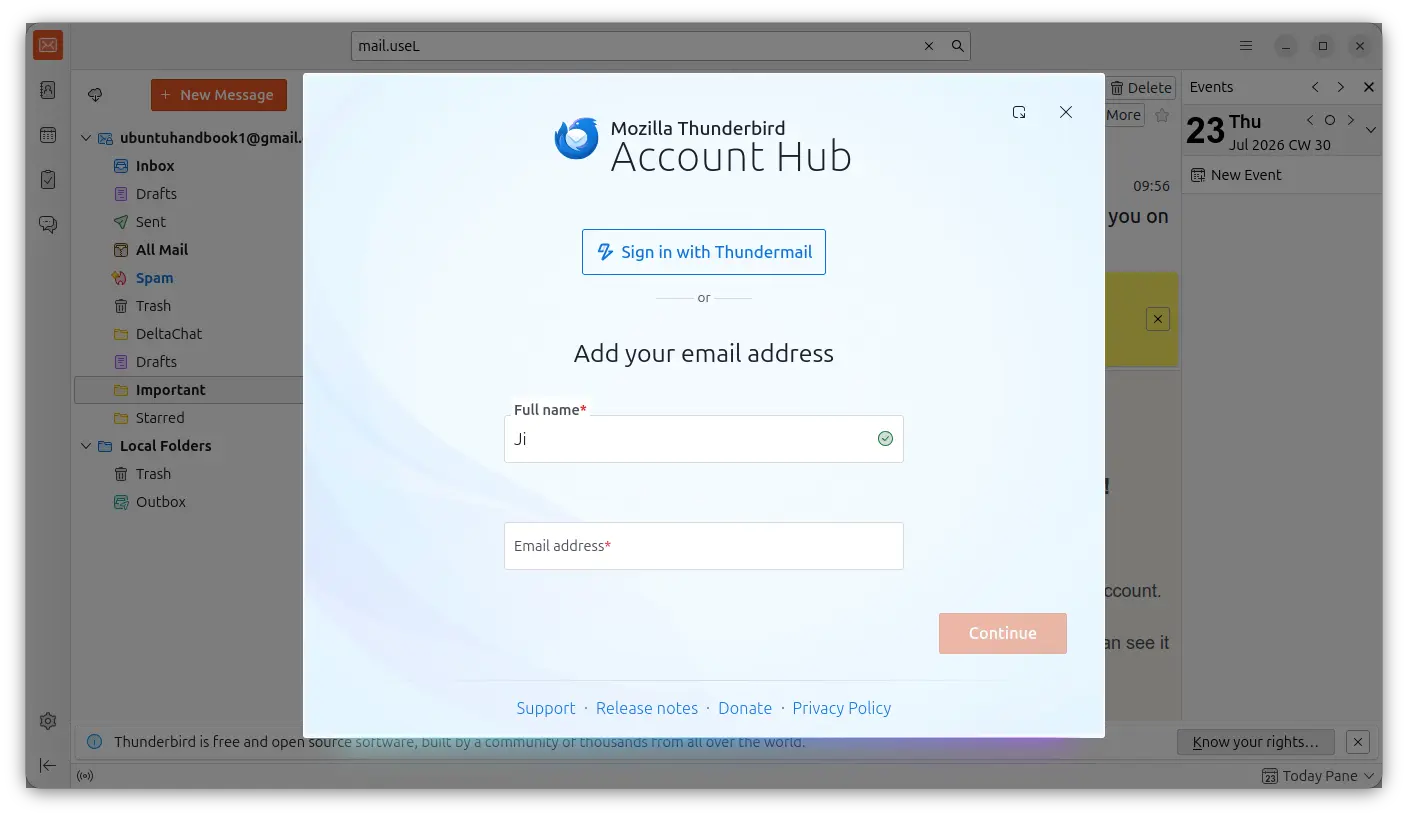
Account Hub, the interface for adding/managing accounts, has been updated with a button to sign with ThunderMail. The Account Hub now also provides manual config option once you input a valid email account.
The release also added native Exchange Web Services (EWS) support, allowing to use Microsoft Email services without the standard IMAP, POP3 protocols, and more Microsoft services access such as calendar, contacts, tasks, folders, and more.
For security, it enabled support for DNS over HTTPS, so that DNS queries are encrypted that prevents your ISP, network administrator, and others from DNS logging and/or spoofing.
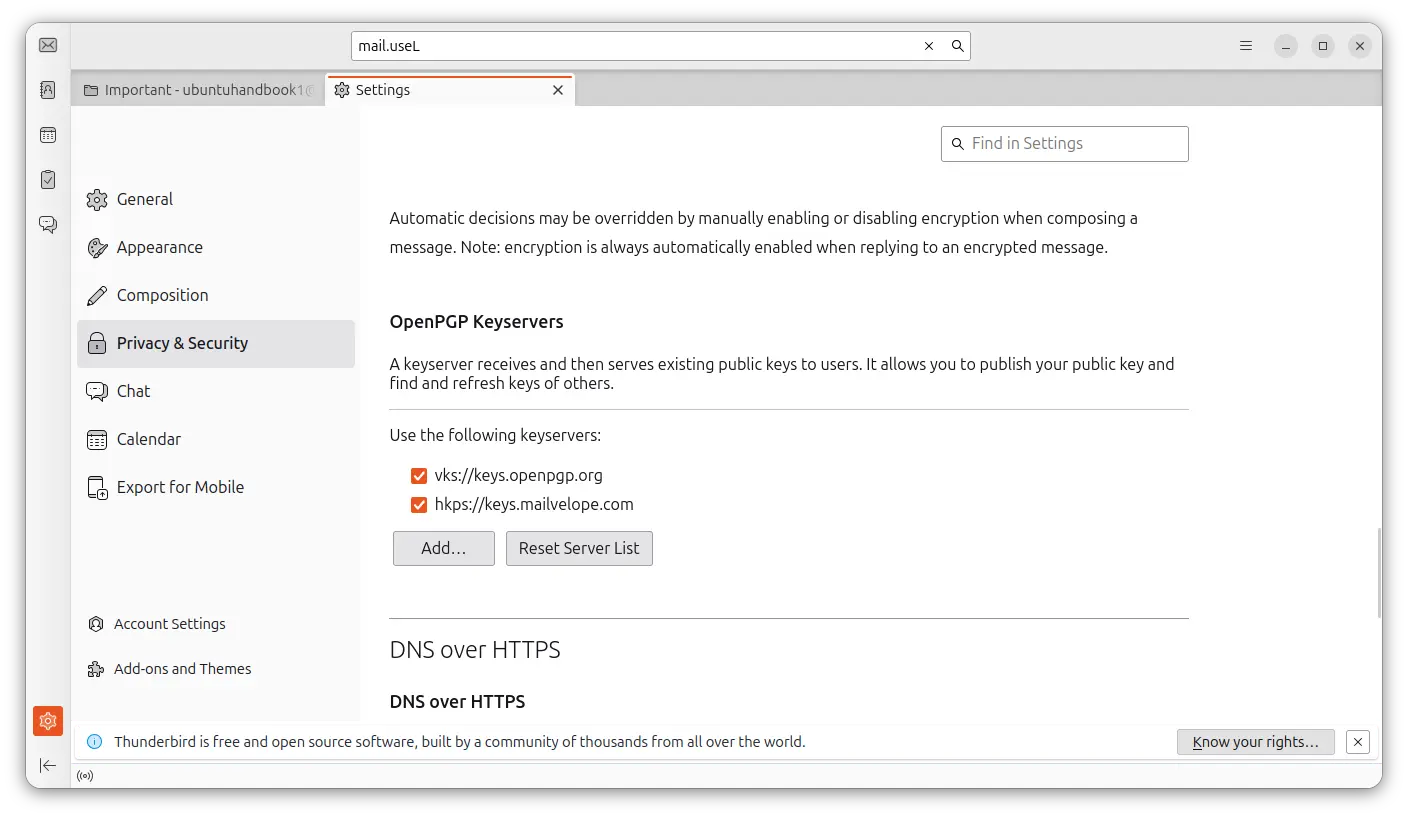
Instead of having to manually edit configuration files, it added graphical settings to choose and configure preferred OpenPGP key server that stores public keys used for email encryption and signing.
And, user can now create OpenPGP signed emails using unobtrusive signature, that are less visible so that secure messages to appear perfectly normal to recipients.
Thunderbird 153.0 also improved PDF support. It can now place a handwritten or image-based signature onto a PDF document directly from within Thunderbird. And, PDF pages can be reorganized directly in the PDF viewer.
It as well has some UI/UX improvements. They include ‘Copy Message Link’ option in More Actions menu, ‘Archive’ action in mail notifications, “Show Full Path” folder pane option for compact view modes, new option to reset custom folder sorting, as well as context menu option to move mail to favorite folder.
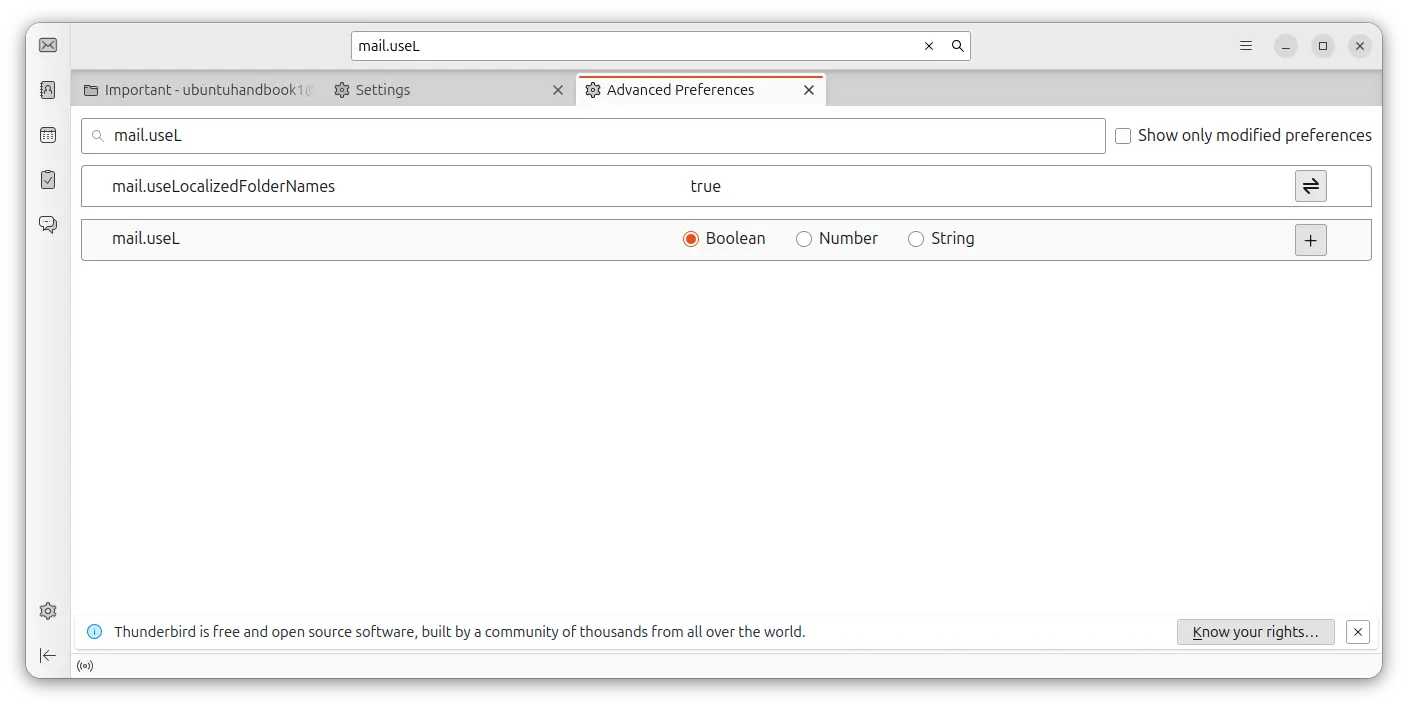
For advanced user, the Config Editor (Advanced Preferences) now includes new mail.useLocalizedFolderNames to control whether special mail folders (Inbox, Sent, Drafts, Trash, etc.) use translated names, and, mail.openpgp.load_untested_gpgme_version to load untested GPGME version.
Other changes include:
- Ability to copy address book cards to the clipboard as vCard.
- Custom accent color support in Appearance Settings.
- Stop shipping 32-bit Linux x86 binaries.
- Enable exporting selected address book cards.
- GMail OAuth updated to use PKCE.
- Yahoo, AT&T, AOL accounts migrated to OAuth 2.0 with PKCE.
There are as well many other changes and various bug-fixes. See the official release note for details.
How to Install Thunderbird 153.0
The Thunderbird website (see the release note link) provides official installers for Linux, Windows, macOS.
For Linux, it’s a .tar.xz tarball. Just grab it, extract, then run the executable file from in the folder to launch Thunderbird.
If you don’t like the tarball, then you may choose install the official Flatpak package, while, Ubuntu user may simply search & install the Canonical maintained Snap package in App Center (or Ubuntu Software).
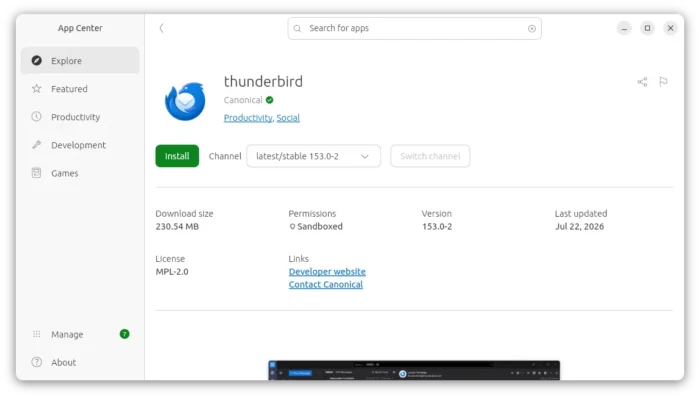
Thunderbird Snap package maintained by canonical, the company behind Ubuntu
For users of Debian, Ubuntu, Linux Mint based Linux distributions, Mozilla also provides the official .deb package. And, the well known Mozilla Team PPA will possibly support the new 153.0 ESR version in near future.
source https://ubuntuhandbook.org/index.php/2026/07/thunderbird-153-0-esr-released-with-dns-over-https-native-thundermail-services/


Tidak ada komentar:
Posting Komentar