For those who want to install the most recent Krita 6.0.4 (or Krita 5.3.4) in native .deb package, I’ve updated the PPA for Ubuntu 26.04 and Ubuntu 24.04 LTS.
Krita, KDE’s digital painting software, is now at version 5.3.x and 6.0.x release series. They are almost functionally identical; one is built with Qt 5, while the other is built with Qt 6.
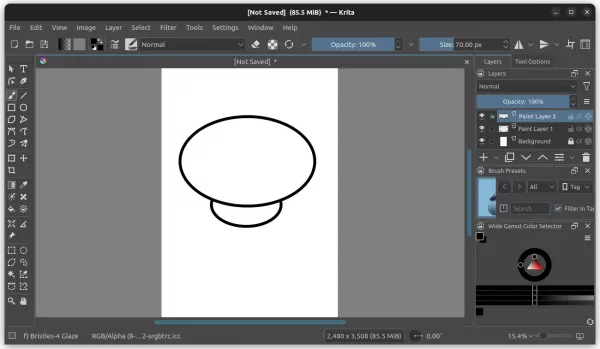
Besides the major Qt version differences, both Krita 5.3 and 6.0 release series, feature completely overhauled the text tool with on-canvas edit, ability to make auto wrapped text, text in shape, and text on path, and new Type Setting Mode.
Both versions as well introduced new knife tool (Comic Panel Editing tool) to cut through a shape with a gap width, Radiance RGBE (.hdr) files, CSS palette, Python Painting API, and many other features. See the release note for details.
Install Krita 6.0.4 / Krita 5.3.4 via DEB package
Krita now provides official Linux package through AppImage which is available to download in its website.
Just grab the package, add executable permission, then you can run it to launch the software.
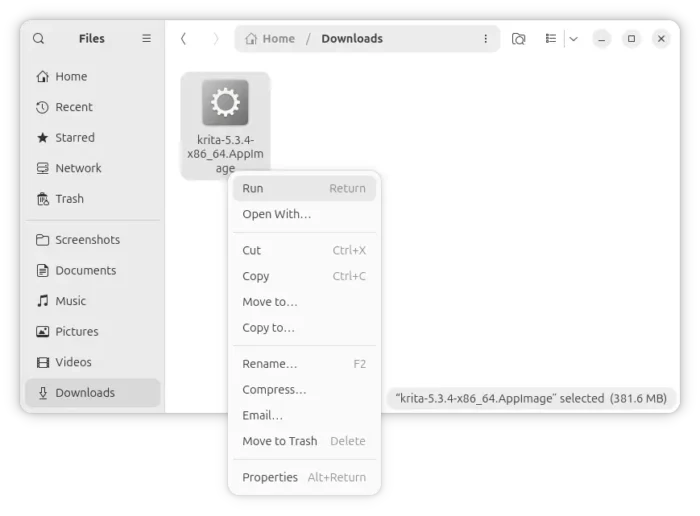
Krita AppImage
For those who prefer the native .deb package, I’ve built the new versions into this unofficial PPA (6.0.4 for Ubuntu 26.04, 5.3.4 for Ubuntu 24.04). Ubuntu 22.04 is sadly no longer supported due to Qt5 version mis-match.
And, both amd64/amd64v3 (Intel/AMD) and arm64/armhf (Snapdragon X Elite) platforms are supported.
To add the PPA and install Krita, press Ctrl+Alt+T on keyboard to launch terminal and run the commands below one by one:
sudo add-apt-repository ppa:ubuntuhandbook1/krita
sudo apt update
sudo apt install krita
NOTE: I maintain Ubuntu PPAs with many app packages, but I don’t use all of them myself. If you use any of these packages and notice that they are outdated, please send email or leave a comment to let me know. This helps me know which packages are still being used so I can keep them updated.
Uninstall:
To remove the PPA, use command in terminal (Ctrl+Alt+T):
sudo add-apt-repository --remove ppa:ubuntuhandbook1/krita
Also run sudo apt update to refresh cache, though the last command should do it automatically.
And, to uninstall the Krita deb package, run command:
sudo apt remove krita krita-data
source https://ubuntuhandbook.org/index.php/2026/09/ppa-updated-with-krita-6-0-4-krita-5-3-4-for-ubuntu-26-04-24-04/


Tidak ada komentar:
Posting Komentar